Sites 让 Codex 可以创建、保存、部署和检查由 OpenAI 托管的网站、web apps 和 games。当你想把 prompt 或兼容的现有 project 变成 hosted site,而不想单独设置 deployment workflow 时,请使用 Sites plugin。
每个 Sites deployment URL 都是 production deployment。如果你想在上线前 review build,请让 Codex 保存一个 version,但不要部署它。
Sites 入门
Sites is in preview 和 currently 可用 for ChatGPT Business 和 Enterprise workspaces, 使用 more plans rolling out later。For ChatGPT Enterprise workspaces, an admin must turn it on through role-based access control (RBAC) 之前 members can 使用 it。Compare support by plan in Feature availability.
Enable Sites for an Enterprise workspace
如果 you 使用 ChatGPT Enterprise, ask your workspace admin 到 打开 the RBAC controls in ChatGPT admin settings 和 turn on Sites for the appropriate role。ChatGPT Business workspaces can skip this step because Sites is enabled by 默认.
添加 the Sites plugin
如果 Sites isn’t already 可用, 打开 Plugins in the Codex app, find Sites, 和 添加 it 到 Codex。启动 a 新的 thread 之后 installing a plugin.
启动 a Sites task
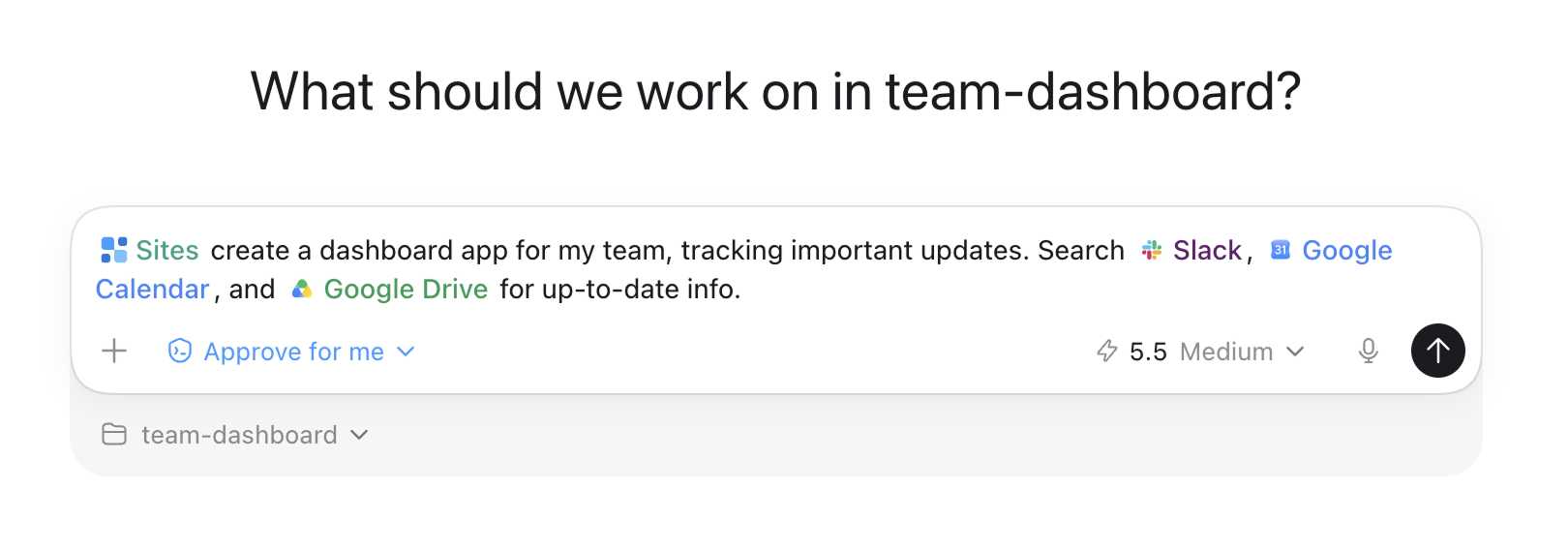
In a thread, describe the site you want 到 create 或 publish。You can name the plugin explicitly 使用 @Sites, especially 当 your task should end in a hosted deployment.
检查 whether 到 save 或 deploy
Ask Codex 到 validate the site’s build。Then tell it either 到 save a deployable version for 检查 或 到 deploy the approved saved version.
Return 到 deployed sites
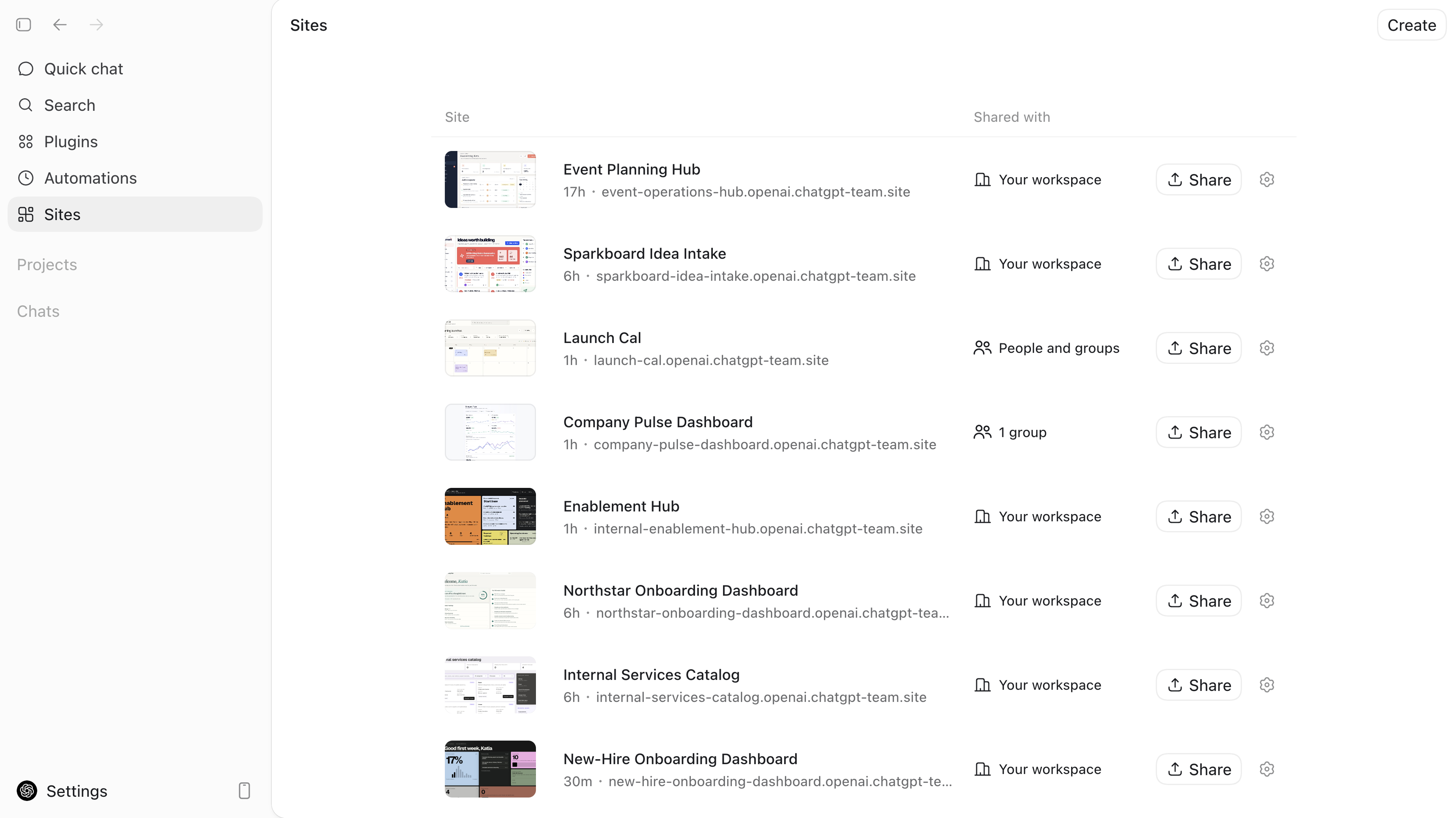
打开 Sites in the app sidebar 到 return 到 your Sites projects。You can also ask Codex 到 inspect saved versions, check deployment status, 或 change who can access a deployed site.
让 Sites 执行常见任务
For a 新的 website, dashboard, 或 internal tool, include the audience, core experience, 和 必需 data:
@Sites Build a project request dashboard for my operations team. Let team
members submit requests, see who owns each one, update the status, and filter
the list. Require people to sign in with their workspace account, and keep the
request data saved between visits.
For an 已有 project, ask Sites 到 prepare 和 publish the 当前 app:
@Sites Deploy this project. Check whether it is compatible with Sites, make any
required changes, and give me the deployment URL.
当 a site needs durable application data 或 uploaded files, say so in the request:
@Sites Add persistent player scores and avatar uploads to this game. Use
the appropriate Sites storage and deploy the updated game.Browse the Sites showcase for deployed internal apps 和 the full prompts used 到 create them.
理解 projects、versions 和 deployments
A Sites project links a local source project 到 hosting managed through Sites。Codex stores that linkage 和 可选 storage binding names in .openai/hosting.json。A newly created local starter can begin 不使用 a project_id;Sites adds one 之后 it provisions the hosted project.
例如, a provisioned site that uses a relational database binding 和 no file storage can contain:
{
  "project_id": "<project-id>",
  "d1": "DB",
  "r2": null
}
Sites publishing has two separate stages:
Save a version。Codex builds the deployable site 和 associates that version 使用 the source Git commit used for the build。使用 this stage 当 you want a reviewable deployment candidate.
Deploy a version。Codex publishes a saved version 和 reports the production URL 当 deployment succeeds。使用 this only 当 you intend for the selected audience 到 access the site.
Ask Codex 到 列出 或 inspect saved versions 当 you need 到 identify a previous deployment candidate.
选择支持的 site shape
Sites hosts projects that build Cloudflare Worker-compatible output as ES modules。For 新的 projects, the Sites workflow can 启动 使用 its recommended site starter。For an 已有 site, ask Codex 到 确认 that the project’s build can produce compatible deployment artifacts 之前 you request a deployment.
Tell Codex about the product behavior you need so it can 选择 the appropriate site shape:
| Site need | What 到 ask Sites for |
|---|---|
| Content-led website 或 landing page | A site 使用 no 持久化ent application state unless the experience requires it |
| Saved records, user progress, 或 game scores | D1, a relational database for durable structured data |
| Images, documents, audio, video, 或 other uploads | R2, object storage for files |
| Uploaded files 使用 searchable metadata | D1 for metadata 和 R2 for file contents |
| Internal site that needs the 当前 workspace user’s identity | Workspace-authenticated user identity |
| Public sign-in 或 an external identity provider | An authentication-enabled Sites project |
Don’t request durable storage for temporary presentation state, such as a theme choice 或 a dismissed banner。Do request it for product data that people expect the hosted site 到 remember.
控制访问和 secrets
设置 the audience 之前 you share a deployed URL。For a 新的 site, keep access limited 到 the owner 和 workspace admins until you have reviewed the content, data handling, 和 expected audience.
You can ask Sites 到 应用 one of these access modes:
| Access mode | Who can access the site |
|---|---|
| Owner 和 admins (admins_only) | The site owner 和 workspace admins |
| Workspace (workspace_all) | All active users in workspace |
| Custom (custom) | Specific active users 或 workspace groups that you 选择;Sites continues 到 allow the owner |
例如:
@Sites Change this deployed site's access to everyone in my workspace after
showing me the current site and confirming the deployment URL.
配置 runtime environment values
打开 Sites in the app sidebar 和 选择 a project 到 添加, update, 或 移除 hosted environment variables 和 secrets in the Sites panel。Don’t store these values in .openai/hosting.json。Keep local .env 和 .env.example files aligned 使用 the keys needed for local development, 和 don’t commit secret values.
当 you 添加, update, 或 移除 hosted environment values, ask Codex 到 redeploy the approved saved version so the next deployment uses the updated configuration.
分享前审查
Before you deploy 或 widen access:
检查 the source changes 和 any database migrations in the Codex 检查 pane.
确认 that the build succeeded 和 that the selected saved version is the version you intend 到 publish.
Check that only the intended audience can access the site.
确认 that you configured runtime secret values through Sites 和 didn’t commit them in source files.
After deployment, ask Codex 到 确认 deployment status 和 the production URL 之前 you share it.
Plugins explains how 到 安装 和 invoke Codex plugins.
Codex app introduces app navigation 和 project threads.
检查 和 ship changes explains how 到 inspect source changes 之前 publishing them.