in-app browser 让你和 Codex 在 thread 内共享 rendered web pages 的视图。当你正在构建或 debugging web app,并希望 preview pages 和附加 visual comments 时使用它。
它适用于 local development servers、file-backed previews,以及不需要 sign-in 的 public pages。对于任何依赖 login state 或 browser extensions 的内容,请使用你的常规 browser 或 Codex Chrome extension。
你可以从 toolbar 打开 in-app browser,也可以点击 URL、在 browser 中手动导航,或按 Cmd+Shift+B(Windows 上是 Ctrl+Shift+B)。
in-app browser 不支持 authentication flows、signed-in pages、你的常规 browser profile、cookies、extensions 或 existing tabs。请把它用于 Codex 无需登录即可打开的 pages。
请把 page content 视为 untrusted context。不要把 secrets 粘贴到 browser flows 中。
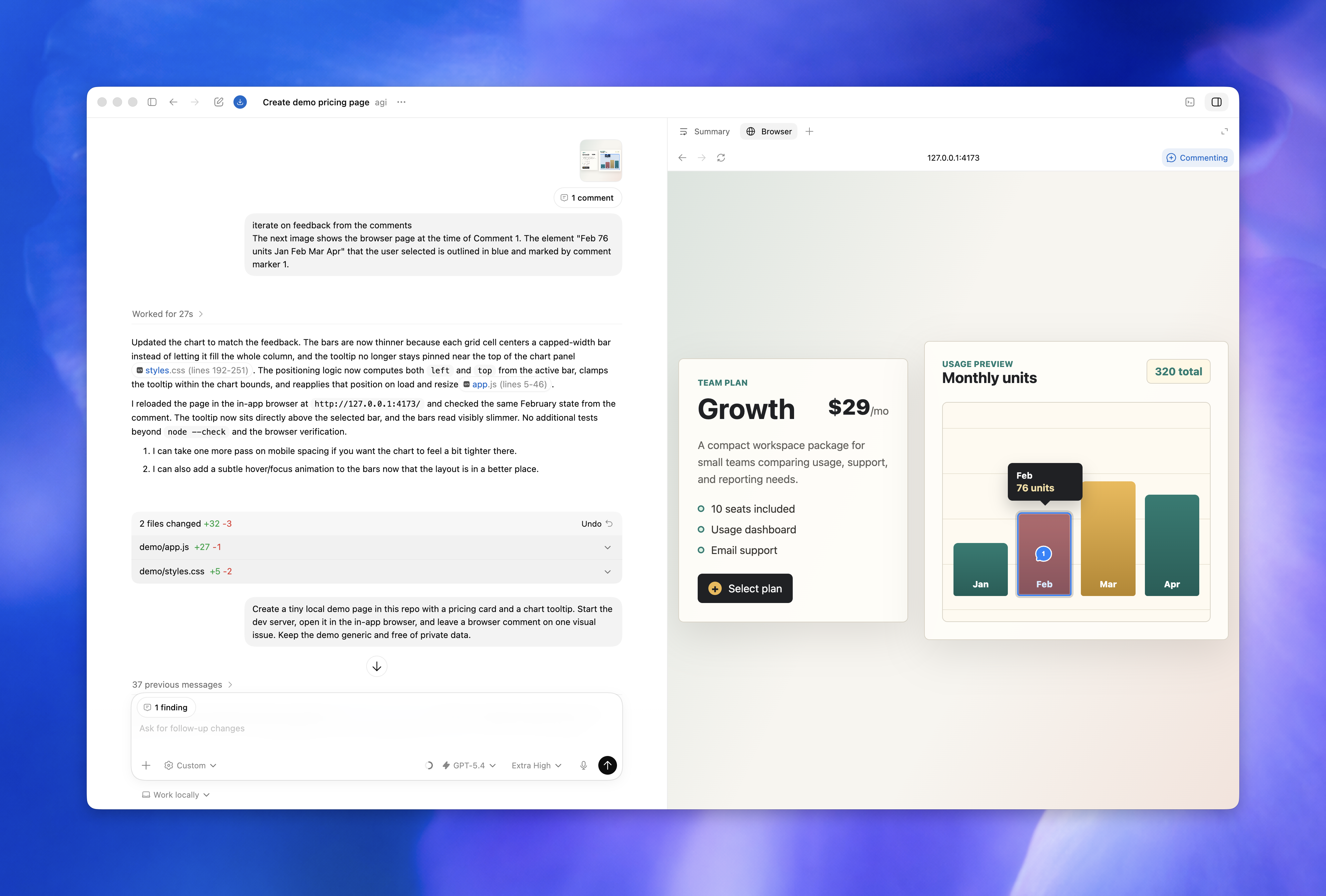
Browser use
Browser use 让 Codex 直接操作 in-app browser。当 Codex 需要 click、type、inspect rendered state、take screenshots、download page assets、运行 read-only page inspection JavaScript,或在页面中验证 fix 时,可将它用于 local development servers 和 file-backed previews。
要使用它,请安装并启用 Browser plugin。然后在 task 中要求 Codex 使用 browser,或直接用 @Browser 引用它。app 会把 browser use 限定在 in-app browser 内,并让你从 settings 管理 allowed 和 blocked websites。
Example:
Use the browser to open http://localhost:3000/settings, reproduce the layout bug, and fix only the overflowing controls.除非你已经 allowed 某个 website,否则 Codex 会在使用它之前询问。把 site 从 allowed list 移除意味着 Codex 下次使用前会再次询问;把 site 从 blocked list 移除意味着 Codex 可以再次请求使用它,而不是直接把它视为 blocked。
对于 Chrome 中的 signed-in websites,请参见 Codex Chrome extension。
Preview a page
在 integrated terminal 中,或通过 local environment action,启动 app 的 development server。
通过点击 URL 或在 browser 中手动导航,打开 unauthenticated local route、file-backed page 或 public page。
把 rendered state 和 code diff 放在一起 review。
在需要 changes 的 elements 或 areas 上留下 browser comments。
要求 Codex 处理 comments,并保持 scope narrow。
Example feedback:
I left comments on the pricing page in the in-app browser. Address the mobile layout issues and keep the card structure unchanged.Comment on the page
当 bug 只在 rendered page 中可见时,请使用 browser comments 在页面上给 Codex 精确反馈。
打开 Annotation mode,选择一个 element 或 area,并提交 comment。
在 Annotation mode 中,按住 Shift 并点击以选择一个 area。
点击时按住 Cmd,可立即发送 comment。
留下 comments 后,在 thread 中发送 message,要求 Codex 处理它们。当 Codex 需要做精确 visual change 时,comments 最有用。
好的 feedback 是具体的:
This button overflows on mobile. Keep the label on one line if it fits, otherwise wrap it without changing the card height.This tooltip covers the data point under the cursor. Reposition the tooltip so it stays inside the chart bounds.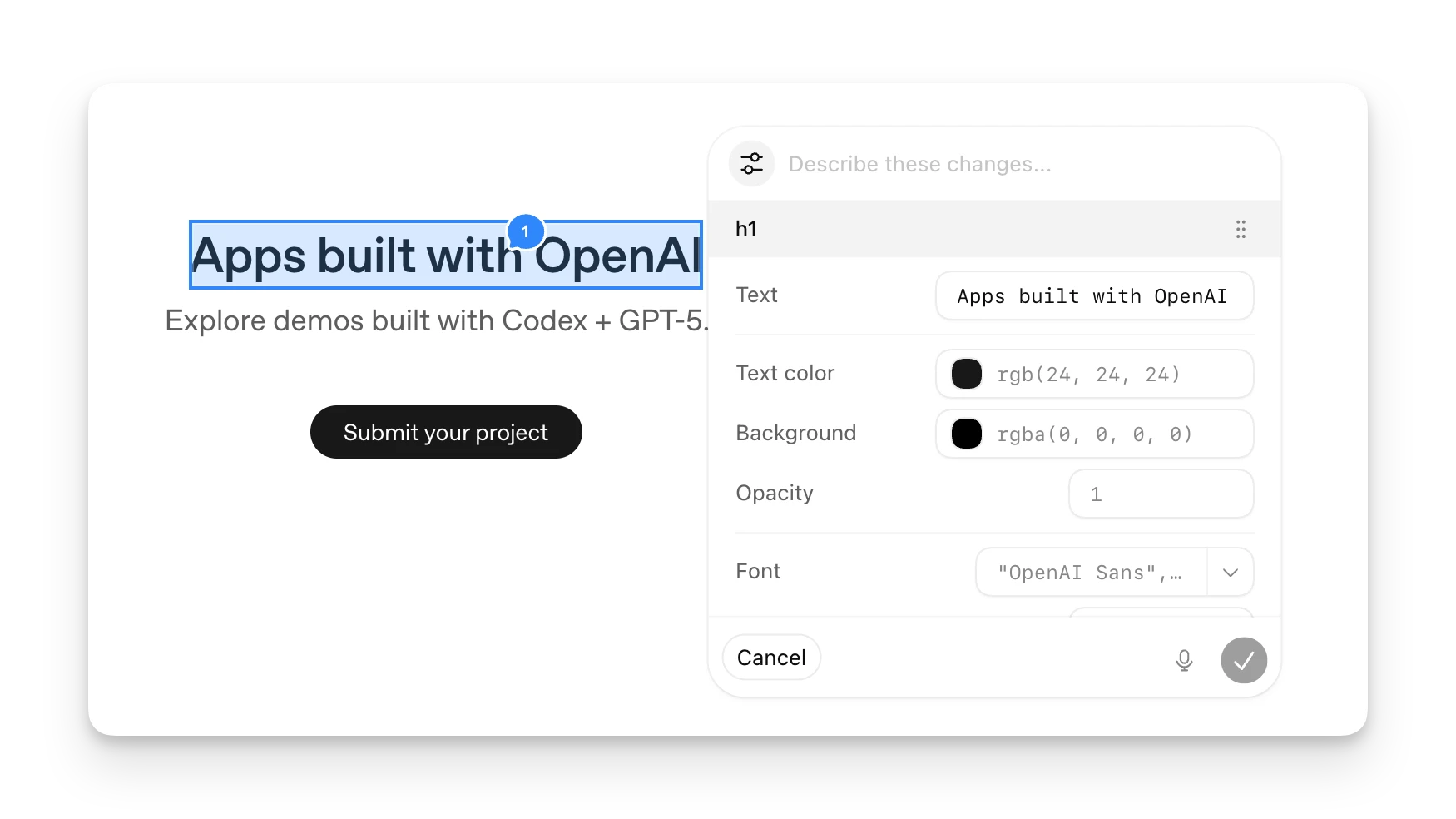
Styling feedback
当你在页面 section 上添加 annotation 时,按 text input 旁边的 config icon,可以给 Codex 更细粒度的 style feedback。你可以更改 font、text、spacing 和 color 等值,直接在页面上 preview 结果,然后发送 annotation,让 Codex 获得更清晰的 change target。
保持 browser tasks 范围明确
in-app browser 用于 review 和 iteration。请让每个 browser task 小到可以一次 review 完成。
说清 page、route 或 local URL。
说清你关心的 visual state,例如 loading、empty、error 或 success。
在需要 changes 的确切 elements 或 areas 上留下 comments。
Codex 修改 code 后,review 更新后的 route。
在 Codex 使用 browser 前,让它 start 或 check dev server。
对于 repository changes,请使用 review pane 检查 changes 并留下 comments。
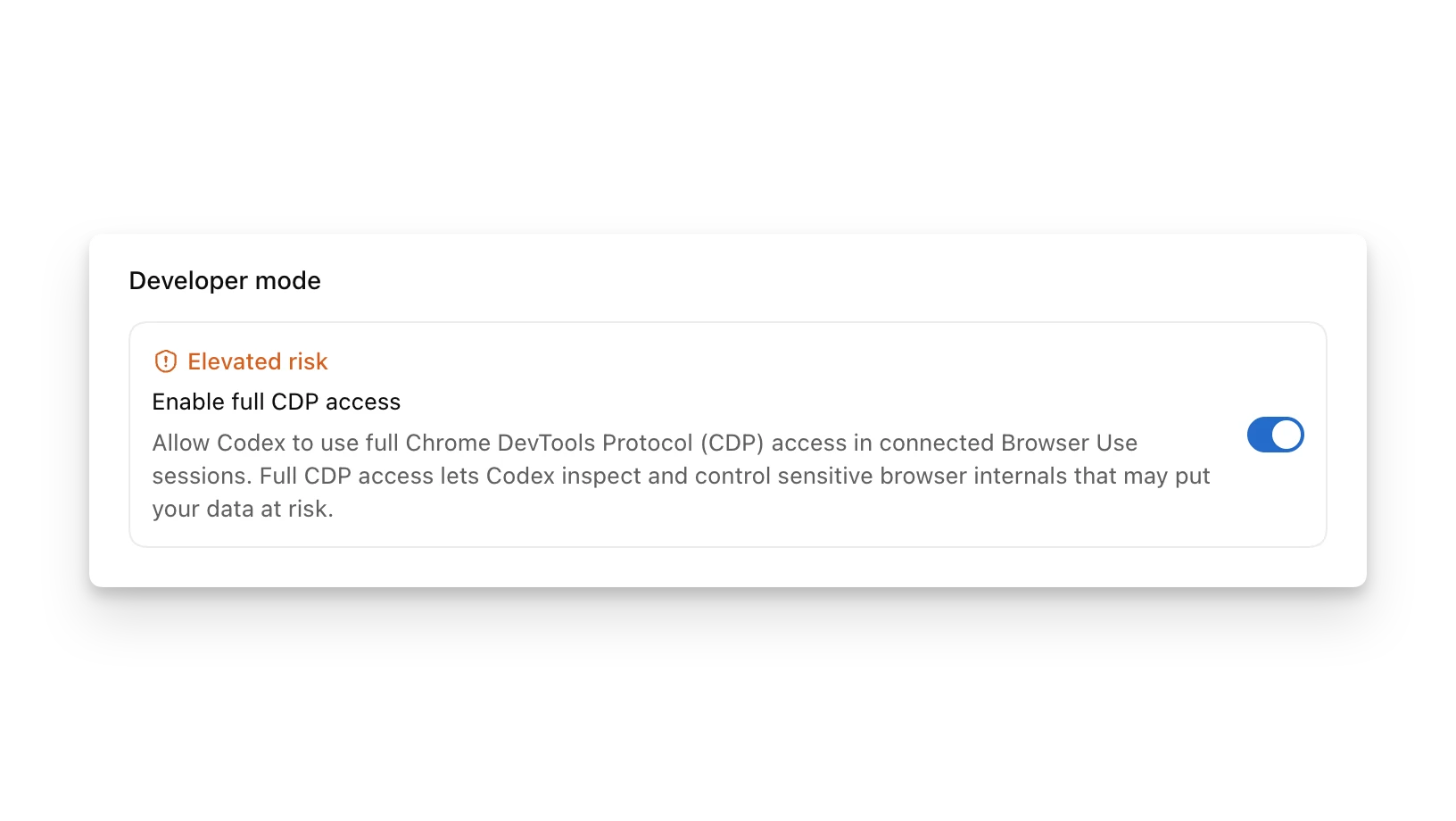
Developer mode
Developer mode 可与 Chrome 和 Codex in-app browser 中的 Browser use 配合使用。它会给 Codex 受控访问 Chrome DevTools Protocol (CDP) 的能力。当你希望 Codex profile JavaScript、inspect console output 和 network traffic、检查 DOM 和 applied styles 等 page state,或直接在 live browser 中诊断问题时使用它。
要启用它,请打开 Settings > Browser,并在 Developer mode 下打开 Enable full CDP access。如果你的 organization 禁用了这个 setting,你无法在本地启用它。Admins 可以在 requirements.toml 的 [features] 下设置 browser_use_full_cdp_access = false。
Full CDP access 让 Codex 可以 inspect 和 control sensitive browser internals,这可能让你的 data 面临风险。Codex 在使用 full CDP inspect website 前会请求 explicit approval。批准前请 review site、task 和 requested access。
对 in-app browser 使用 @Browser。要在 Chrome 中使用 Developer mode,请 set up the Codex Chrome extension 并调用 @Chrome。
For example:
This app is slow. Use @Browser to capture a performance trace and inspect network traffic, then identify the bottleneck.