本页面向 plugin authors。如果你想在 Codex 中浏览、安装和使用 plugins,请参见 Plugins。如果你仍在迭代一个 repo 或个人 workflow,请先从 local skill 开始。当你希望跨团队共享 workflow、打包 app integrations 或 MCP config、封装 lifecycle hooks,或发布稳定 package 时,再构建 plugin。
用 @plugin-creator 创建 plugin
最快的设置方式是使用内置 @plugin-creator skill。
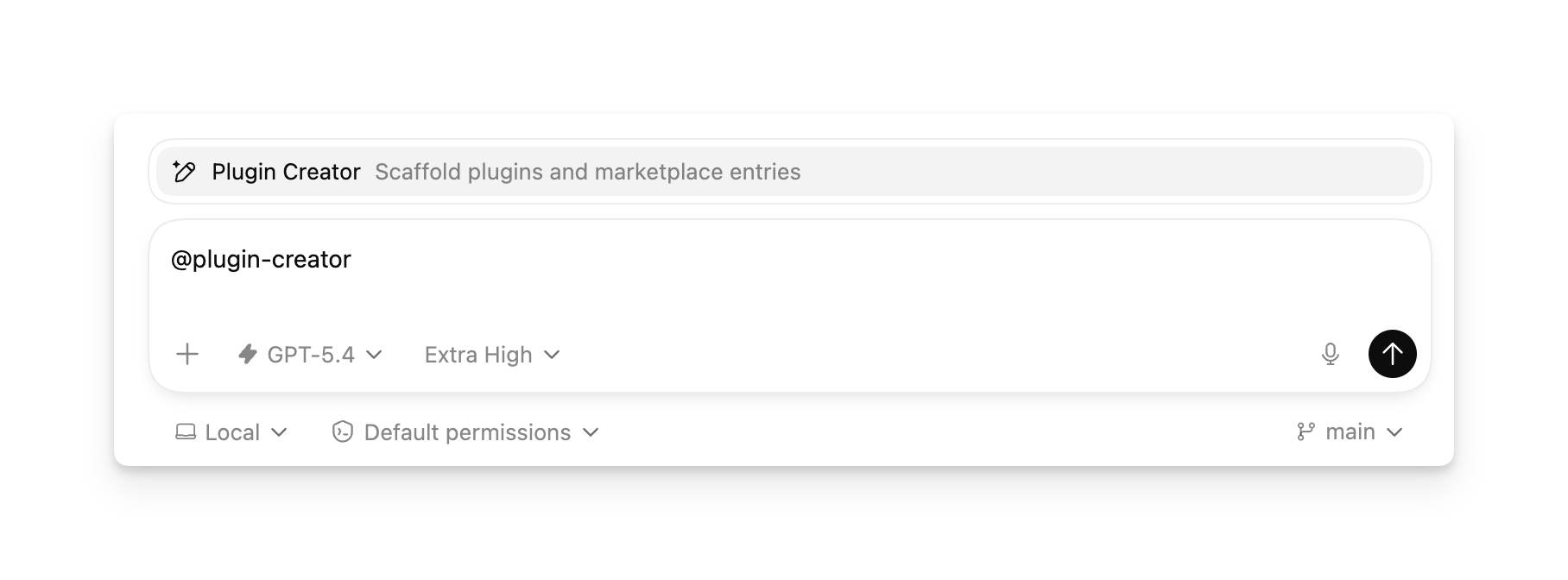
It scaffolds the 必需 .codex-plugin/plugin.json manifest 和 can also 生成 a local marketplace entry for testing。如果 you already have a plugin folder, you can still 使用 @plugin-creator 到 wire it into a local marketplace.
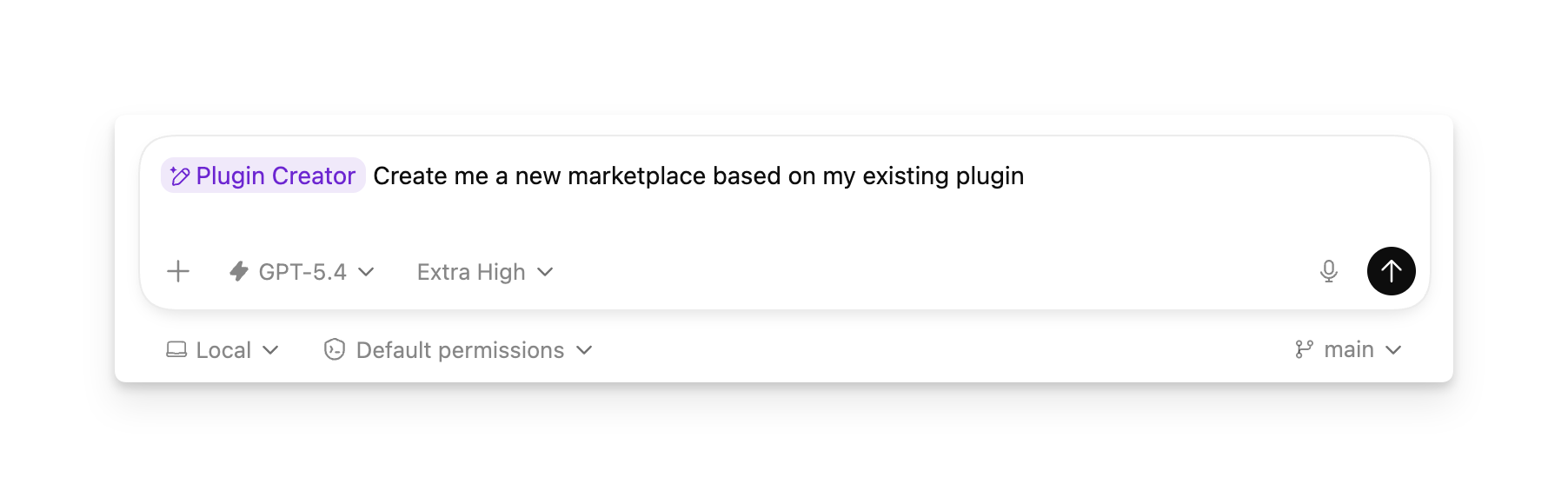
构建你自己的 curated plugin list
Marketplace 是 plugins 的 JSON catalog。@plugin-creator 可以为单个 plugin 生成 marketplace,你也可以持续向同一个 marketplace 添加 entries,为 repo、team 或个人 workflow 构建 curated list。
In Codex, each marketplace appears as a selectable source in the plugin directory。使用 $REPO_ROOT/.agents/plugins/marketplace.json for a repo-scoped 列出 或 ~/.agents/plugins/marketplace.json for a personal 列出。添加 one entry per plugin under plugins[], point each source.path at the plugin folder 使用 a ./-prefixed path relative 到 the marketplace root, 和 设置 interface.displayName 到 the label you want Codex 到 显示 in the marketplace picker。Then restart Codex。After that, 打开 the plugin directory, 选择 your marketplace, 和 browse 或 安装 the plugins in that curated 列出.
You don’t need a separate marketplace per plugin。One marketplace can expose a single plugin while you are testing, then grow into a larger curated catalog as you 添加 more plugins.
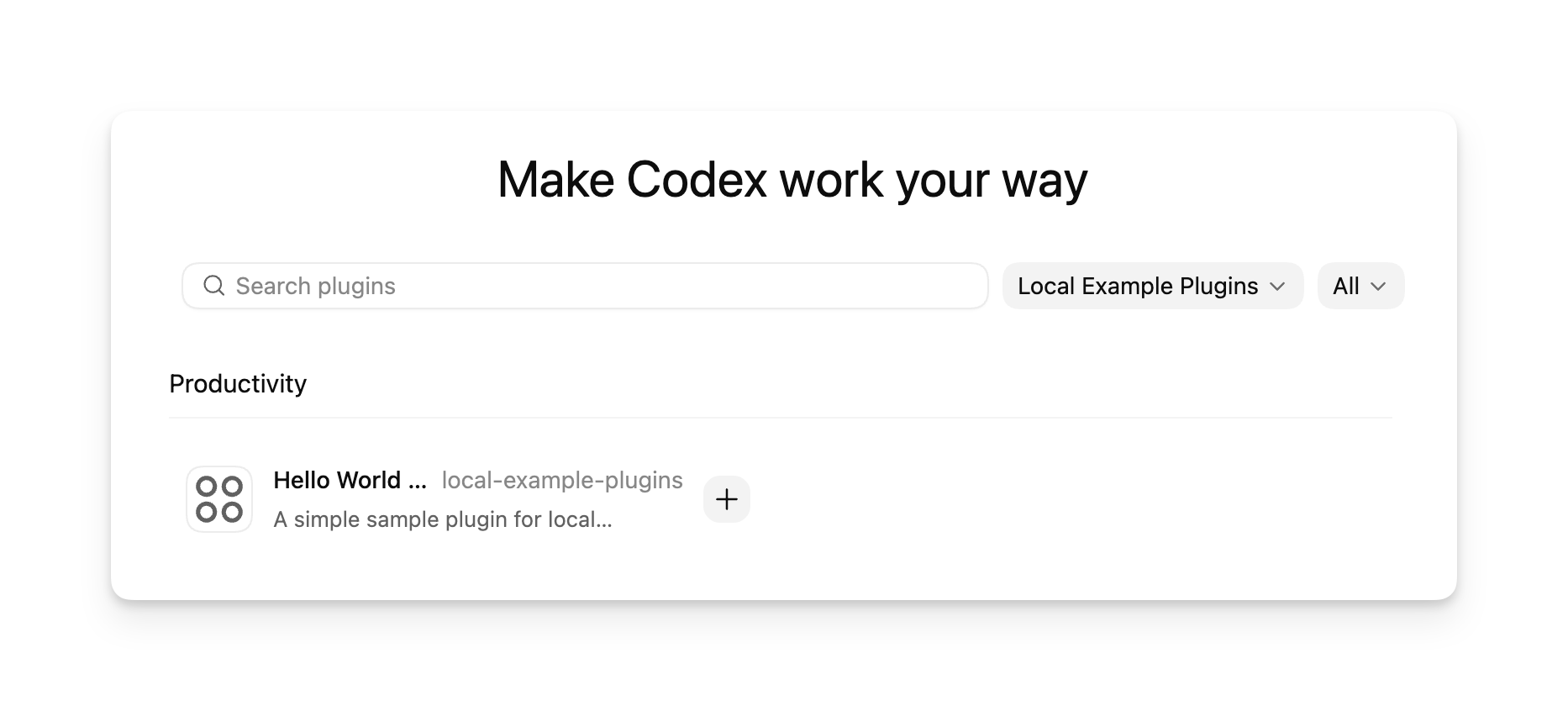
从 CLI 添加 marketplace
使用 codex plugin marketplace add when you want Codex to install and track a marketplace source for you instead of editing config.toml by hand.
codex plugin marketplace add owner/repo
codex plugin marketplace add owner/repo --ref main
codex plugin marketplace add https://github.com/example/plugins.git --sparse .agents/plugins
codex plugin marketplace add ./local-marketplace-root
Marketplace sources can be GitHub shorthand (owner/repo 或 owner/repo@ref), HTTP 或 HTTPS Git URLs, SSH Git URLs, 或 local marketplace root directories。使用 --ref 到 pin a Git ref, 和 repeat --sparse PATH 到 使用 a sparse checkout for Git-backed marketplace repos。--sparse is valid only for Git marketplace sources.
To inspect, refresh, 或 移除 configured marketplaces:
codex plugin marketplace list
codex plugin marketplace upgrade
codex plugin marketplace upgrade marketplace-name
codex plugin marketplace remove marketplace-name
codex plugin marketplace list prints each marketplace Codex is considering and the root path it resolves from, including local default marketplaces and configured marketplace snapshots.
手动创建 plugin
启动 使用 a minimal plugin that packages one skill.
Create a plugin folder 使用 a manifest at .codex-plugin/plugin.json.
mkdir -p my-first-plugin/.codex-pluginmy-first-plugin/.codex-plugin/plugin.json
{
  "name": "my-first-plugin",
  "version": "1.0.0",
  "description": "Reusable greeting workflow",
  "skills": "./skills/"
}
使用 a stable plugin name in kebab-case。Codex uses it as the plugin identifier 和 component namespace.
添加 a skill under skills/<skill-name>/SKILL.md.
mkdir -p my-first-plugin/skills/hellomy-first-plugin/skills/hello/SKILL.md
---
name: hello
description: Greet the user with a friendly message.
---

Greet the user warmly and ask how you can help.添加 the plugin 到 a marketplace。使用 @plugin-creator 到 生成 one, 或 follow Build your own curated plugin 列出 到 wire the plugin into Codex manually.
From there, you can 添加 MCP config, app integrations, 或 marketplace metadata as needed.
手动安装本地 plugin
使用 a repo marketplace 或 a personal marketplace, depending on who should be able 到 access the plugin 或 curated 列出.
添加 a marketplace file at $REPO_ROOT/.agents/plugins/marketplace.json 和 store your plugins under $REPO_ROOT/plugins/.
Repo marketplace example
Step 1:复制 the plugin folder into $REPO_ROOT/plugins/my-plugin.
mkdir -p ./plugins
cp -R /absolute/path/to/my-plugin ./plugins/my-plugin
Step 2:添加 或 update $REPO_ROOT/.agents/plugins/marketplace.json so that source.path points 到 that plugin directory 使用 a ./-prefixed relative path:
{
  "name": "local-repo",
  "plugins": [
    {
      "name": "my-plugin",
      "source": {
        "source": "local",
        "path": "./plugins/my-plugin"
      },
      "policy": {
        "installation": "AVAILABLE",
        "authentication": "ON_INSTALL"
      },
      "category": "Productivity"
    }
  ]
}
Step 3:Restart Codex 和 verify that the plugin appears.
添加 a marketplace file at ~/.agents/plugins/marketplace.json 和 store your plugins under ~/.codex/plugins/.
Personal marketplace example
Step 1:复制 the plugin folder into ~/.codex/plugins/my-plugin.
mkdir -p ~/.codex/plugins
cp -R /absolute/path/to/my-plugin ~/.codex/plugins/my-plugin
Step 2:添加 或 update ~/.agents/plugins/marketplace.json so that the plugin entry’s source.path points 到 that directory.
Step 3:Restart Codex 和 verify that the plugin appears.
The marketplace file points 到 the plugin location, so those directories are examples rather than fixed requirements。Codex resolves source.path relative 到 the marketplace root, not relative 到 the .agents/plugins/ folder。See Marketplace metadata for file format.
After you change the plugin, update the plugin directory that your marketplace entry points 到 和 restart Codex so the local 安装 picks up the 新的 files.
与 workspace 共享本地 plugin
After you create a plugin 和 添加 it 到 Codex, you can share it 使用 other members of your ChatGPT workspace 从 the Codex app.
打开 Plugins in the Codex app.
Go 到 Created by you 和 打开 the plugin details page.
选择 Share.
添加 workspace members 或 workspace groups, 或 复制 a share link.
选择 who has access, then send the invitation 或 link.
People you share 使用 can find the plugin under Shared 使用 you in the plugin directory。Sharing a local plugin 使用 your workspace doesn’t publish it 到 the public Plugin Directory。Shared plugins stay within your workspace 和 organization boundary;accounts that aren’t signed in 到 that workspace can’t access them。使用 groups 当 a team 或 role should share the same plugin access。使用 a marketplace 当 you want repo 或 CLI distribution, 和 使用 workspace sharing 当 you want selected teammates 到 安装 a plugin 从 the Codex app.
Workspace admins can disable plugin sharing 从 cloud-managed requirements by adding features.plugin_sharing = false 到 requirements.toml:
features.plugin_sharing = falseMarketplace metadata
如果 you maintain a repo marketplace, define it in $REPO_ROOT/.agents/plugins/marketplace.json。For a personal marketplace, 使用 ~/.agents/plugins/marketplace.json。A marketplace file controls plugin ordering 和 安装 policies in Codex-facing catalogs。It can represent one plugin while you are testing 或 a curated 列出 of plugins that you want Codex 到 显示 together under one marketplace name。Before you 添加 a plugin 到 a marketplace, make sure its version, publisher metadata, 和 安装-surface 复制 are ready for other developers 到 see.
{
  "name": "local-example-plugins",
  "interface": {
    "displayName": "Local Example Plugins"
  },
  "plugins": [
    {
      "name": "my-plugin",
      "source": {
        "source": "local",
        "path": "./plugins/my-plugin"
      },
      "policy": {
        "installation": "AVAILABLE",
        "authentication": "ON_INSTALL"
      },
      "category": "Productivity"
    },
    {
      "name": "research-helper",
      "source": {
        "source": "local",
        "path": "./plugins/research-helper"
      },
      "policy": {
        "installation": "AVAILABLE",
        "authentication": "ON_INSTALL"
      },
      "category": "Productivity"
    }
  ]
}
使用 top-level name 到 identify the marketplace.
使用 interface.displayName for the marketplace title shown in Codex.
添加 one object per plugin under plugins 到 build a curated 列出 that Codex shows under that marketplace title.
Point each plugin entry’s source.path at the plugin directory you want Codex 到 load。For repo installs, that often lives under ./plugins/。For personal installs, a common pattern is ./.codex/plugins/<plugin-name>.
Keep source.path relative 到 the marketplace root, 启动 it 使用 ./, 和 keep it inside that root.
For local entries, source can also be a plain string path such as "./plugins/my-plugin".
Always include policy.installation, policy.authentication, 和 category on each plugin entry.
使用 policy.installation values such as AVAILABLE, INSTALLED_BY_DEFAULT, 或 NOT_AVAILABLE.
使用 policy.authentication 到 decide whether auth happens on 安装 或 first 使用.
The marketplace controls where Codex loads the plugin 从。A local source.path can point somewhere else 如果 your plugin lives outside those example directories。A marketplace file can live in the repo where you are developing the plugin 或 in a separate marketplace repo, 和 one marketplace file can point 到 one plugin 或 many.
Marketplace entries can also point at Git-backed plugin sources。使用 "source":"url" 当 the plugin lives at repository root, 或 "source":"git-subdir" 当 the plugin lives in a subdirectory:
{
  "name": "remote-helper",
  "source": {
    "source": "git-subdir",
    "url": "https://github.com/example/codex-plugins.git",
    "path": "./plugins/remote-helper",
    "ref": "main"
  },
  "policy": {
    "installation": "AVAILABLE",
    "authentication": "ON_INSTALL"
  },
  "category": "Productivity"
}
Git-backed entries may 使用 ref 或 sha selectors。如果 Codex can’t resolve a marketplace entry’s source, it skips that plugin entry 而不是 failing the whole marketplace.
Codex 如何使用 marketplaces
A plugin marketplace is a JSON catalog of plugins that Codex can 读取 和 安装.
Codex can 读取 marketplace files 从:
the curated marketplace that powers the official Plugin Directory
a repo marketplace at $REPO_ROOT/.agents/plugins/marketplace.json
a legacy-compatible marketplace at $REPO_ROOT/.claude-plugin/marketplace.json
a personal marketplace at ~/.agents/plugins/marketplace.json
You can 安装 any plugin exposed through a marketplace。Codex installs plugins into ~/.codex/plugins/cache/$MARKETPLACE_NAME/$PLUGIN_NAME/$VERSION/。For local plugins, $VERSION is local, 和 Codex loads the installed 复制 从 that cache path rather than directly 从 the marketplace entry.
You can enable 或 disable each plugin individually。Codex stores each plugin’s on 或 off state in ~/.codex/config.toml.
打包和分发 plugins
Plugin 结构
Every plugin has a manifest at .codex-plugin/plugin.json。It can also include a skills/ directory, a hooks/ directory for lifecycle hooks, an .app.json file that points at one 或 more apps 或 connectors, an .mcp.json file that configures MCP servers, 和 assets used 到 present the plugin across 支持的 surfaces.
.codex-plugin/ plugin.json Required:plugin manifest
plugin.json Required:plugin manifest
skills/ my-skill/ SKILL.md Optional:skill instructions
my-skill/ SKILL.md Optional:skill instructions
SKILL.md Optional:skill instructions
hooks/ hooks.json Optional:lifecycle hooks
hooks.json Optional:lifecycle hooks
.app.json Optional:app 或 connector mappings
.mcp.json Optional:MCP server configuration
assets/ Optional:icons, logos, screenshots
Only plugin.json belongs in .codex-plugin/。Keep skills/, hooks/, assets/, .mcp.json, 和 .app.json at the plugin root.
Published plugins typically 使用 a richer manifest than the minimal example that appears in quick-start scaffolds。The manifest has three jobs:
Identify the plugin.
Point 到 bundled components such as skills, apps, MCP servers, 或 hooks.
Provide 安装-surface metadata such as descriptions, icons, 和 legal links.
Here’s a complete manifest example:
{
  "name": "my-plugin",
  "version": "0.1.0",
  "description": "Bundle reusable skills and app integrations.",
  "author": {
    "name": "Your team",
    "email": "team@example.com",
    "url": "https://example.com"
  },
  "homepage": "https://example.com/plugins/my-plugin",
  "repository": "https://github.com/example/my-plugin",
  "license": "MIT",
  "keywords": ["research", "crm"],
  "skills": "./skills/",
  "mcpServers": "./.mcp.json",
  "apps": "./.app.json",
  "hooks": "./hooks/hooks.json",
  "interface": {
    "displayName": "My Plugin",
    "shortDescription": "Reusable skills and apps",
    "longDescription": "Distribute skills and app integrations together.",
    "developerName": "Your team",
    "category": "Productivity",
    "capabilities": ["Read", "Write"],
    "websiteURL": "https://example.com",
    "privacyPolicyURL": "https://example.com/privacy",
    "termsOfServiceURL": "https://example.com/terms",
    "defaultPrompt": [
      "Use My Plugin to summarize new CRM notes.",
      "Use My Plugin to triage new customer follow-ups."
    ],
    "brandColor": "#10A37F",
    "composerIcon": "./assets/icon.png",
    "logo": "./assets/logo.png",
    "screenshots": ["./assets/screenshot-1.png"]
  }
}
.codex-plugin/plugin.json is the 必需 entry point。The other manifest fields are 可选, but published plugins commonly 使用 them.
Manifest 字段
使用 the top-level fields 到 define package metadata 和 point 到 bundled components:
name, version, 和 description identify the plugin.
author, homepage, repository, license, 和 keywords provide publisher 和 discovery metadata.
skills, mcpServers, apps, 和 hooks point 到 bundled components relative 到 the plugin root.
interface controls how 安装 surfaces present the plugin.
使用 the interface object for 安装-surface metadata:
displayName, shortDescription, 和 longDescription control the title 和 descriptive 复制.
developerName, category, 和 capabilities 添加 publisher 和 capability metadata.
websiteURL, privacyPolicyURL, 和 termsOfServiceURL provide external links.
默认Prompt, brandColor, composerIcon, logo, 和 screenshots control starter prompts 和 visual presentation.
Path rules
Keep manifest paths relative 到 the plugin root 和 启动 them 使用 ./.
Store visual assets such as composerIcon, logo, 和 screenshots under ./assets/ 当 possible.
使用 skills for bundled skill folders, apps for .app.json, mcpServers for .mcp.json, 和 hooks for lifecycle hooks.
Enabled plugins can include lifecycle hooks alongside skills, MCP servers, 和 apps.
如果 your plugin stores hooks at ./hooks/hooks.json, you do not need a hooks entry in .codex-plugin/plugin.json;Codex checks that 默认 file 自动.
内置 MCP servers 和 lifecycle hooks
mcpServers can point 到 an .mcp.json file that contains either a direct server map 或 a wrapped mcp_servers object.
Direct server map:
{
  "docs": {
    "command": "docs-mcp",
    "args": ["--stdio"]
  }
}
Wrapped server map:
{
  "mcp_servers": {
    "docs": {
      "command": "docs-mcp",
      "args": ["--stdio"]
    }
  }
}
After installation, users can enable 或 disable a bundled MCP server 和 tune tool approval policy 从 their Codex config 不使用 editing the plugin。使用 plugins.<plugin>.mcp_servers.<server> for plugin-scoped MCP server policy:
[plugins."my-plugin".mcp_servers.docs]
enabled = true
default_tools_approval_mode = "prompt"
enabled_tools = ["search"]

[plugins."my-plugin".mcp_servers.docs.tools.search]
approval_mode = "approve"
当 your plugin is enabled, Codex can load lifecycle hooks 从 your plugin alongside user, project, 和 managed hooks.
Installing 或 enabling a plugin doesn’t 自动 trust its hooks。Plugin-bundled hooks are non-managed hooks, so Codex skips them until the user reviews 和 trusts the 当前 hook definition.
The 默认 plugin hook file is hooks/hooks.json:
{
  "hooks": {
    "SessionStart": [
      {
        "hooks": [
          {
            "type": "command",
            "command": "python3 ${PLUGIN_ROOT}/hooks/session_start.py",
            "statusMessage": "Loading plugin context"
          }
        ]
      }
    ]
  }
}
如果 you define hooks in .codex-plugin/plugin.json, Codex uses that manifest entry 而不是 the 默认 hooks/hooks.json。The manifest field can be a single path, an array of paths, an inline hooks object, 或 an array of inline hooks objects.
{
  "name": "repo-policy",
  "hooks": ["./hooks/session.json", "./hooks/tools.json"]
}
Hook paths follow the same manifest path rules as skills, apps, 和 mcpServers:启动 使用 ./, resolve relative 到 the plugin root, 和 stay inside the plugin root.
Plugin hook commands receive the Codex-specific environment variables PLUGIN_ROOT 和 PLUGIN_DATA。PLUGIN_ROOT points 到 the installed plugin root, 和 PLUGIN_DATA points 到 the plugin’s writable data directory。Codex also sets CLAUDE_PLUGIN_ROOT 和 CLAUDE_PLUGIN_DATA for compatibility 使用 已有 plugin hooks.
Plugin hooks 使用 the same event schema as regular hooks。See Hooks for 支持的 events, inputs, outputs, trust 检查, 和 当前 limitations.
发布官方 public plugins
Adding plugins 到 the official Plugin Directory is coming soon.
Self-serve plugin publishing 和 management are coming soon.