概览
Plugins 会把 skills、app integrations 和 MCP servers 打包成 Codex 可复用的 workflows。
扩展 Codex 能做的事情,例如:
安装 the Codex Security plugin 到 scan authorized code 和 确认 plausible vulnerability findings.
安装 the Gmail plugin 到 let Codex 读取 和 manage Gmail.
安装 the Google Drive plugin 到 work across Drive, Docs, Sheets, 和 Slides.
安装 the Slack plugin 到 summarize channels 或 draft replies.
安装 Sites 到 create 和 deploy hosted websites, web apps, 和 games.
一个 plugin 可以包含:
Skills:reusable instructions for specific kinds of work。Codex can load them 当 needed so it follows the right steps 和 uses the right references 或 helper scripts for a task.
Apps:connections 到 tools like GitHub, Slack, 或 Google Drive, so Codex can 读取 information 从 those tools 和 take actions in them.
MCP servers:services that give Codex access 到 more tools 或 shared information, often 从 systems outside your local project.
You can share plugins by publishing them through a marketplace source, such as a repo marketplace for a project 或 team。See Build plugins for marketplace setup, packaging, 和 distribution guidance.
使用和安装 plugins
Codex app 中的 Plugin Directory
打开 Plugins in the Codex app 到 browse 和 安装 curated plugins.
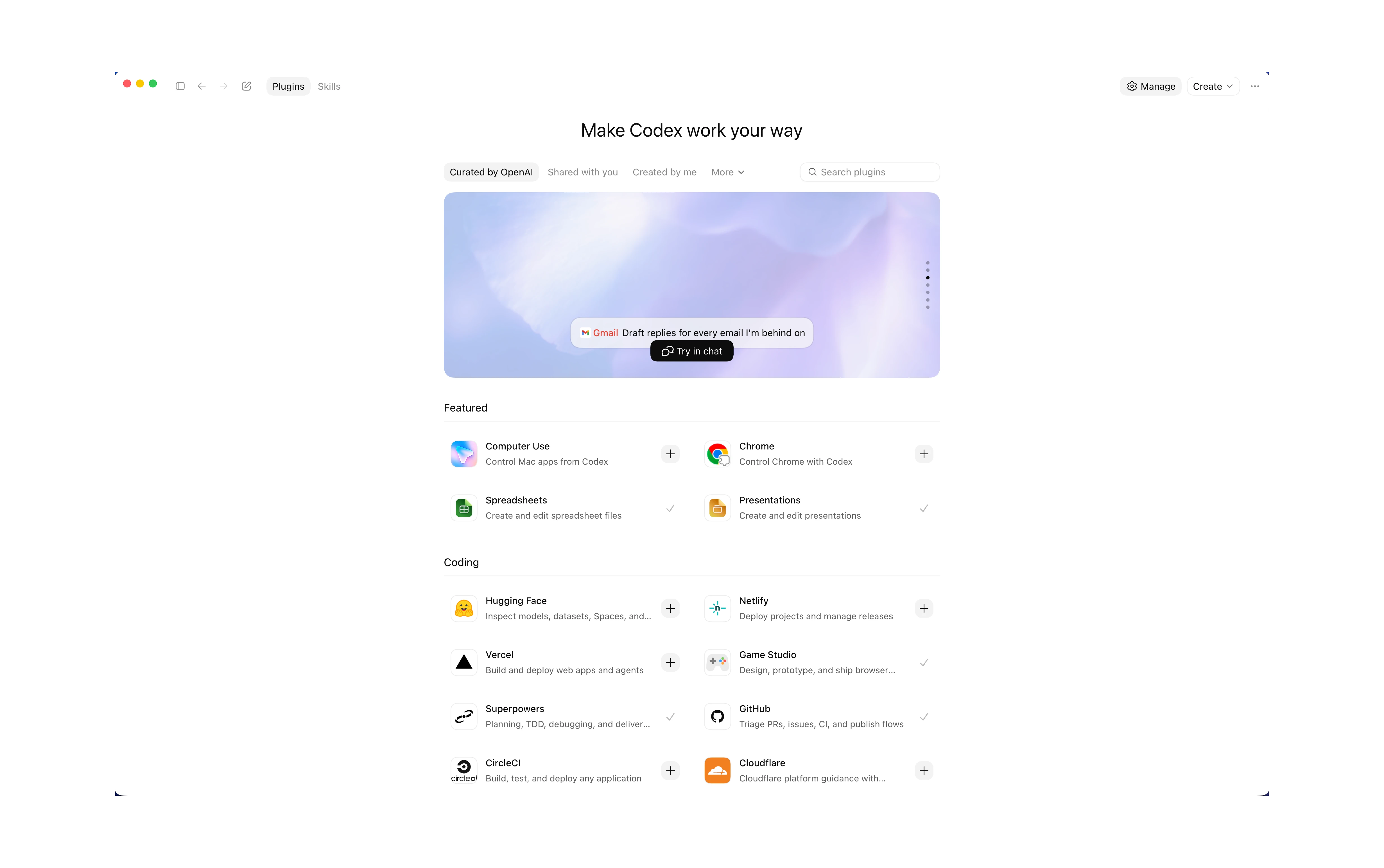
The plugin directory groups plugins into categories:
Curated by 打开AI:highlighted plugins 可用 到 all Codex users.
Shared 使用 you:plugins shared by other members of your ChatGPT workspace.
Created by you:plugins you created 或 added 到 your own workspace.
CLI 中的 plugin directory
In Codex CLI, 运行 the following command 到 打开 the plugins 列出:
codex
/plugins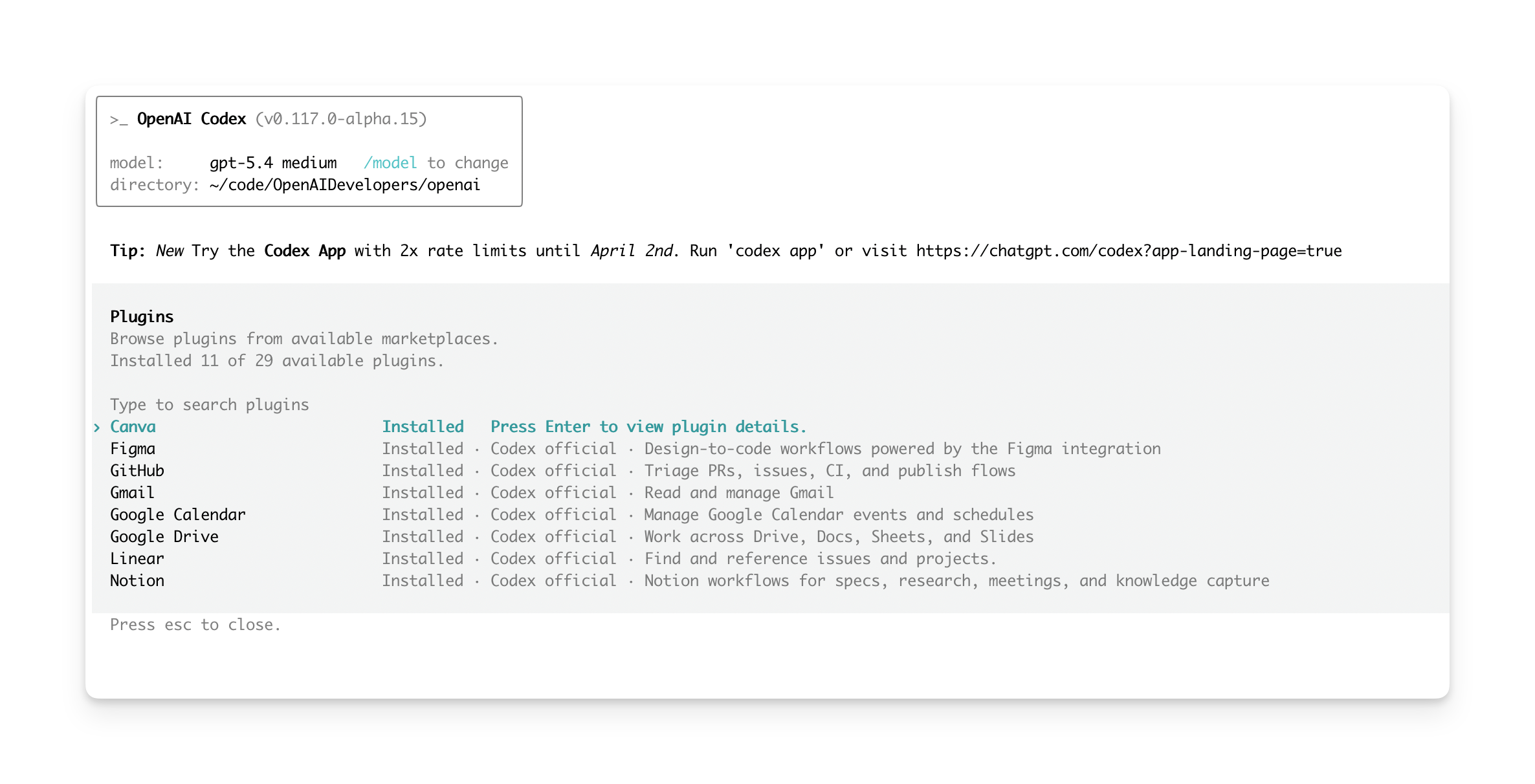
The CLI plugin browser groups plugins by marketplace。使用 the marketplace tabs 到 切换 sources, 打开 a plugin 到 inspect details, 安装 或 uninstall marketplace entries, 和 按 Space on an installed plugin 到 切换 its enabled state.
安装并使用 plugin
Once you 打开 the plugin directory:
搜索 或 browse for a plugin, then 打开 its details.
选择 the 安装 button。In the app, 选择 the plus button 或 添加 到 Codex。In the CLI, 选择 安装 plugin.
如果 the plugin needs an external app, 连接 it 当 prompted。Some plugins ask you 到 authenticate during 安装。Others wait until the first time you 使用 them.
After installation, 启动 a 新的 thread 和 ask Codex 到 使用 the plugin.
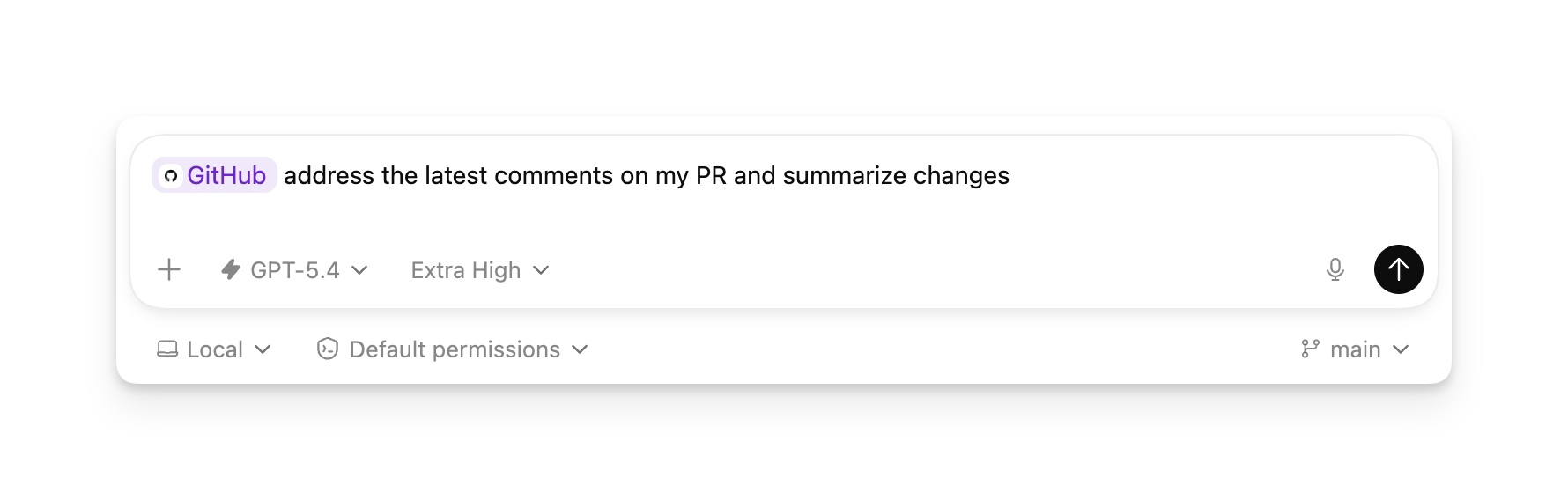
Describe task directly
Ask for the outcome you want, such as “Summarize unread Gmail threads 从 today” 或 “Pull the latest launch notes 从 Google Drive.”
使用 this 当 you want Codex 到 选择 the right installed tools for task.
选择 a specific plugin
输入 @ 到 invoke the plugin 或 one of its bundled skills explicitly.
使用 this 当 you want 到 be specific about which plugin 或 skill Codex should 使用。See Codex app commands 和 Skills.
权限和数据共享如何工作
Installing a plugin makes its workflows 可用 in Codex, but your 已有 approval settings still 应用。Any connected external services remain subject 到 their own authentication, privacy, 和 data-sharing policies.
Bundled skills are 可用 as soon as you 安装 the plugin.
如果 a plugin includes apps, Codex may prompt you 到 安装 或 sign in 到 those apps in ChatGPT during setup 或 the first time you 使用 them.
如果 a plugin includes MCP servers, they may require extra setup 或 authentication 之前 you can 使用 them.
当 Codex sends data through a bundled app, that app’s terms 和 privacy policy 应用.
移除或关闭 plugin
To 移除 a plugin, reopen it 从 the plugin browser 和 选择 Uninstall plugin.
Uninstalling a plugin removes the plugin bundle 从 Codex, but bundled apps stay installed until you manage them in ChatGPT.
如果 you want 到 keep a plugin installed but turn it off, 设置 its entry in ~/.codex/config.toml 到 enabled = false, then restart Codex:
[plugins."gmail@openai-curated"]
enabled = false
构建你自己的 plugin
如果 you want 到 create, test, 或 distribute your own plugin, see Build plugins。That page covers local scaffolding, manual marketplace setup, workspace sharing, plugin manifests, 和 packaging guidance.
Record & Replay:显示 Codex a workflow once 和 turn it into a reusable skill.
Codex Security plugin quickstart:安装 the plugin, scan authorized code, 和 检查 the result.