Local environments 让你可以为 worktrees 配置 setup steps,也可以为 project 配置 common actions。
你可以通过 Codex app settings pane 配置 local environments。你也可以把生成的 file check into project 的 Git repository,与其他人共享。
Codex 会把这个 configuration 存在 project root 的 .codex folder 中。如果你的 repository 包含多个 project,请打开包含共享 .codex folder 的 project directory。
Setup scripts
由于 worktrees 会在不同于 Local tasks 的 directories 中运行,你的 project 可能尚未完整 setup,也可能缺少 dependencies 或未 check into repository 的 files。Setup scripts 会在 Codex 创建 new worktree、启动 new thread 时自动运行。
使用这个 script 运行配置 environment 所需的任何 command,例如安装 dependencies 或运行 build process。
例如,对于 TypeScript project,你可能希望用 setup script 安装 dependencies 并执行 initial build:
npm install
npm run build
如果你的 setup 是 platform-specific,请为 macOS、Windows 或 Linux 定义 setup scripts,以覆盖默认设置。
Actions
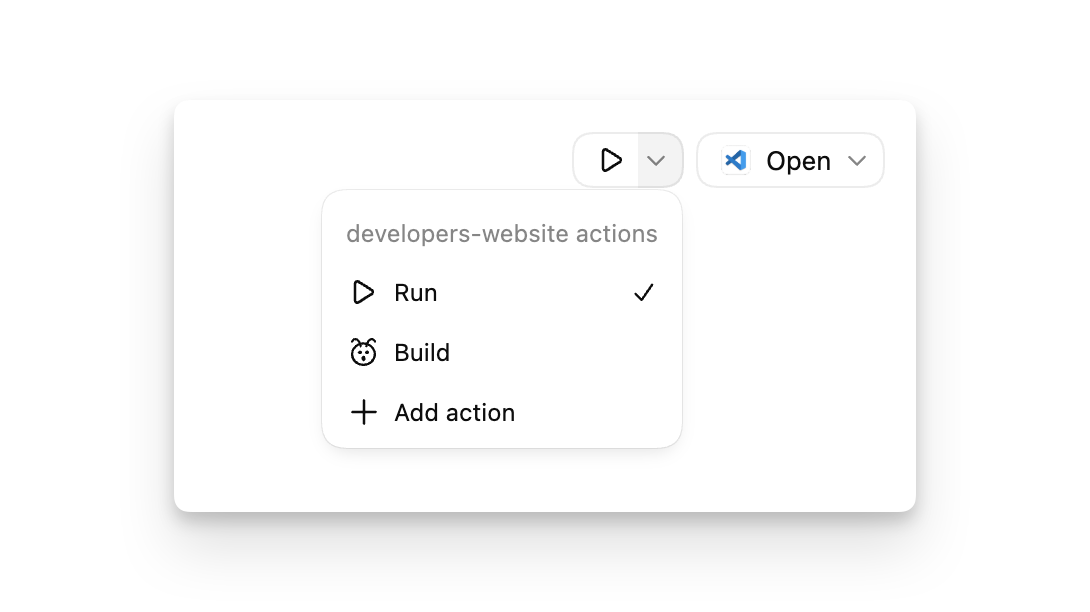
使用 actions 定义 common tasks,例如启动 app 的 development server 或运行 test suite。这些 actions 会出现在 Codex app top bar 中,便于快速访问。actions 会在 app 的 integrated terminal 内运行。
Actions 可以避免你反复输入常见操作,例如触发 project build 或启动 development server。对于一次性的快速 debugging,你可以直接使用 integrated terminal。
例如,对于 Node.js project,你可能会创建一个包含以下 script 的 “Run” action:
npm start如果你的 action commands 是 platform-specific,请为 macOS、Windows 和 Linux 定义 platform-specific scripts。
为了识别 actions,请为每个 action 选择一个关联 icon。