原文核对:2026-10-13 · 中文正文 · 英文提示词与演示
场景定位
使用 Codex Security 插件扫描本地仓库,审阅证据与覆盖范围,确定需要调查或修复的问题。
- 难度
- 中级
- 时间跨度
- 长时间运行
适合用于
- 评估自己拥有或获授权审查的仓库或服务的开发者。
- 初步了解漏洞和待复查区域的安全团队。
- 需要依据代码证据与验证结果决定修复事项的审阅者。
相关工具
扫描仓库或指定目录,验证候选漏洞,报告发现与覆盖范围。
Codex Security:security Scan ↗起步提示词
英文原文 · 可复制后按实际材料修改
Use $codex-security:security-scan to run a standard security scan of [absolute path to this repository or one scoped folder].

I am authorized to assess this code. Keep the review within the selected scope.
Use the repository's security guidance and supported validation commands.
Do not apply fixes or close findings.

Return the scan report and summarize:
- Findings, affected code, and realistic impact.
- Validation evidence and remaining uncertainty.
- Reviewed areas, exclusions, and incomplete coverage.
- Findings and coverage gaps that need human review first.
使用 Codex Security 插件扫描本地仓库,检查每项发现的证据,判断哪些需要调查或修复。先从一个仓库或服务开始,审阅覆盖范围后再扩大扫描。
开始之前
在 Codex 中打开你拥有或获准评估的本地仓库。安装并启用 Codex Security 插件,确认账号和工作区具有所需的安全功能访问权限。
先对仓库或一个服务运行标准扫描。它执行一次扫描流程,提供发现、支持证据和覆盖信息,供你决定修复事项。大型单体仓库应选择服务或产品边界清晰的一个目录。
在该仓库的 Codex 项目中使用起始提示词,将路径替换为目标范围。也可以按照下方步骤从 Security 侧栏配置同一扫描;选择一种启动方式即可。
运行首次扫描
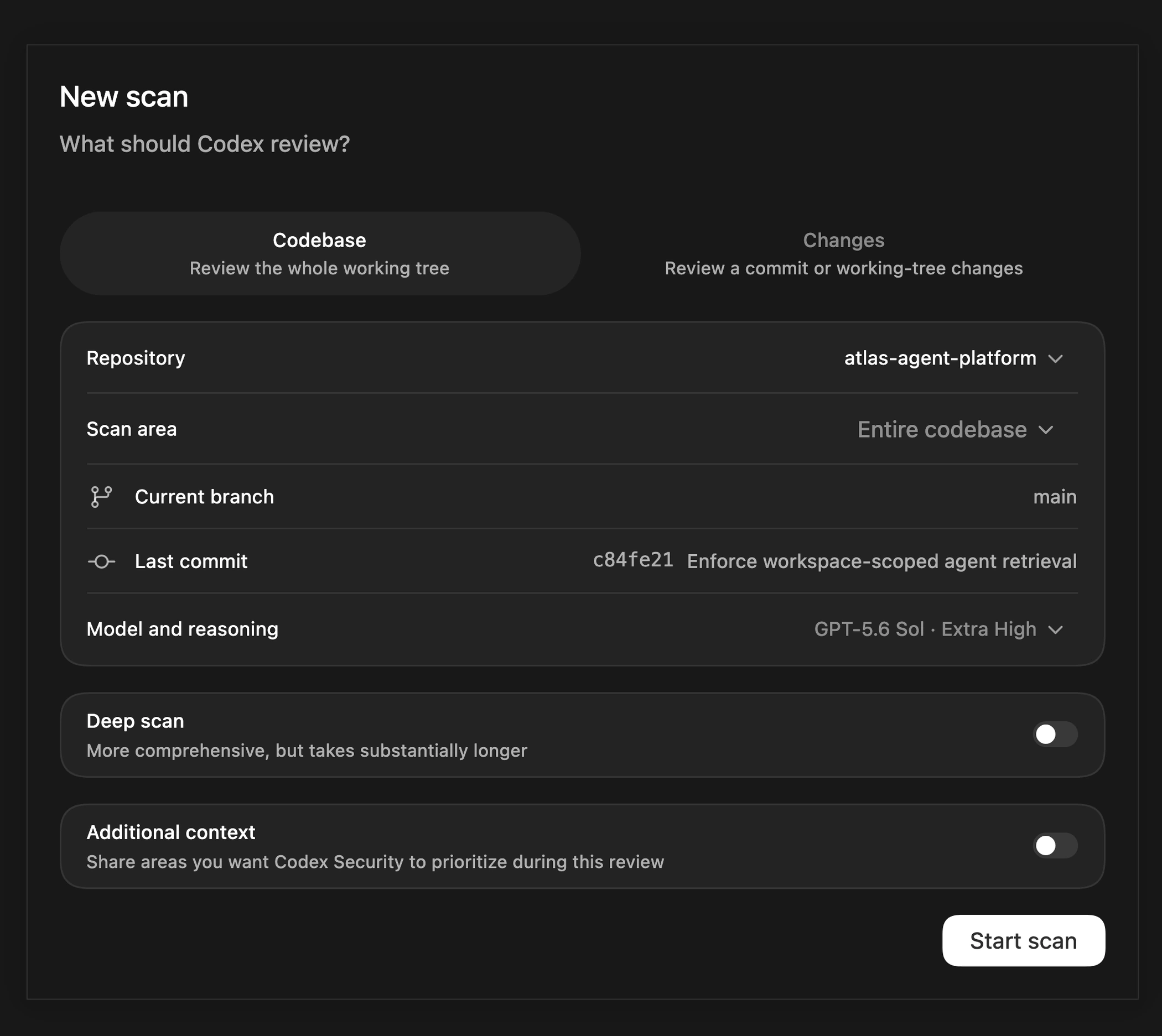
- 打开 Security,选择 Scans,再选择 + Scan。
- 选择仓库,确认 Current branch 和 Last commit 对应要审查的代码。Codebase 会扫描当前检出的代码,包括本地改动。
- 选择 Codebase,将 Scan area 设为 Entire codebase 或一个目录。首次扫描保持 Deep scan 关闭。
- 根据当前扫描建议选择模型和推理强度。
- 如需说明安全规则或重点区域,打开 Additional context 填写,然后选择 Start scan。
对于将每位客户的数据保存在独立工作区中的应用,可以补充以下安全背景:
Users must only retrieve documents from workspaces they belong to.
Review whether a user can supply another workspace's identifier and
retrieve its private documents. Check where workspace membership is
enforced, including background jobs and direct API calls.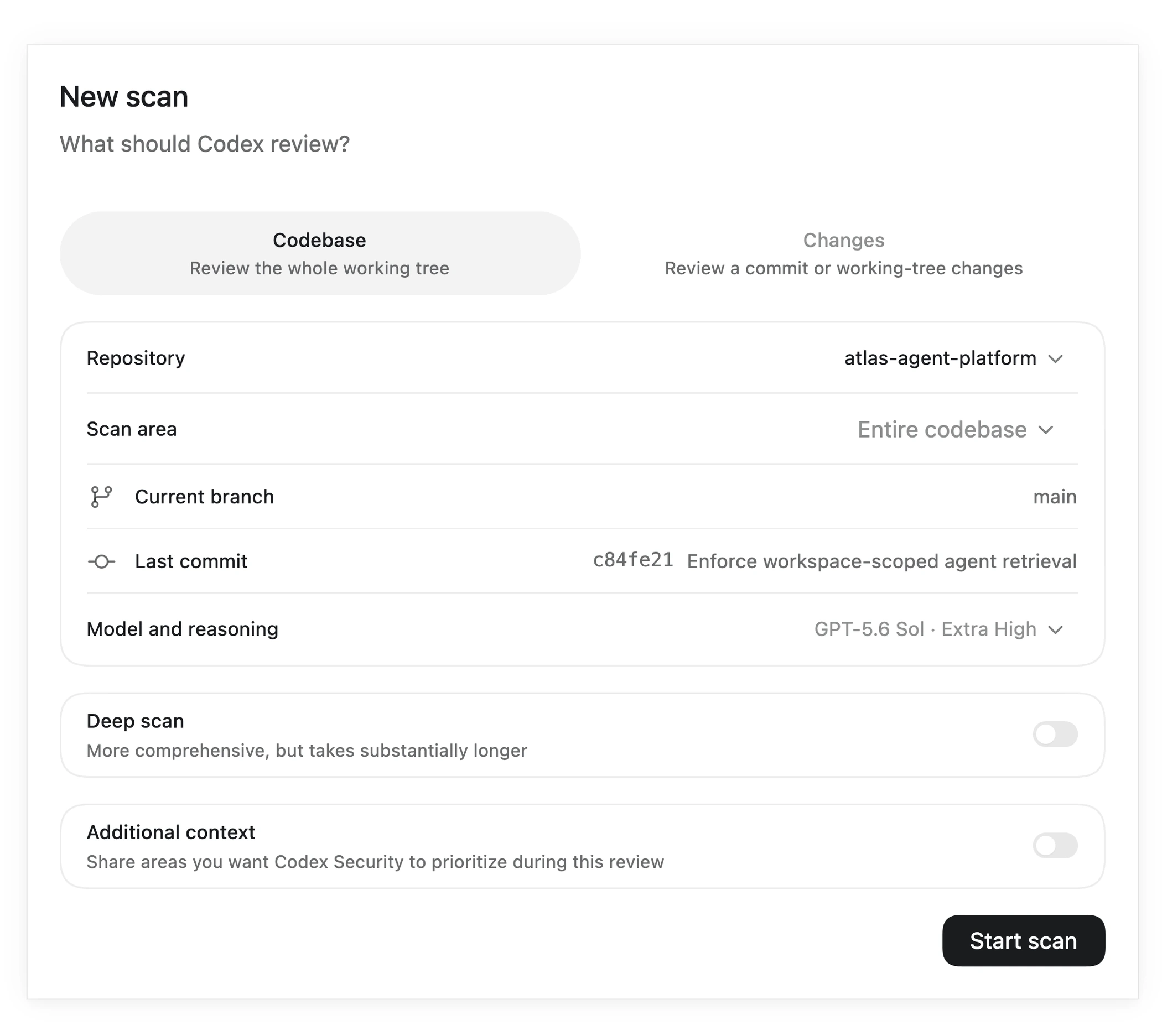
跟踪扫描并检查覆盖范围
Codex 会识别应用资产和安全边界,检查代码中的候选漏洞,验证候选项并评估影响,最后生成报告。选择 View activity 查看底层 Codex 任务,等待扫描完成。
打开已完成的扫描,确认目标和版本。先检查覆盖范围,包括跳过或推迟的区域,再阅读发现。扫描完成仍可能发现漏洞;覆盖不完整时,发现列表为空也不能证明代码安全。
如果扫描停止或留下缺口,记录这些区域以便跟进。扫描耗时和资源使用量取决于所选代码及所需的验证工作。
理解一项发现
选择一项发现并打开 Summary,结合以下问题审阅:
- 攻击者能做什么?阅读受影响代码、根本原因和报告的影响。
- 攻击者如何触达它?沿着攻击者可控输入到敏感操作的路径检查,包括已有防护措施。
- 扫描证明了什么?阅读验证证据、严重程度依据及尚存的不确定性。仅凭严重程度标签不足以接受一项发现。
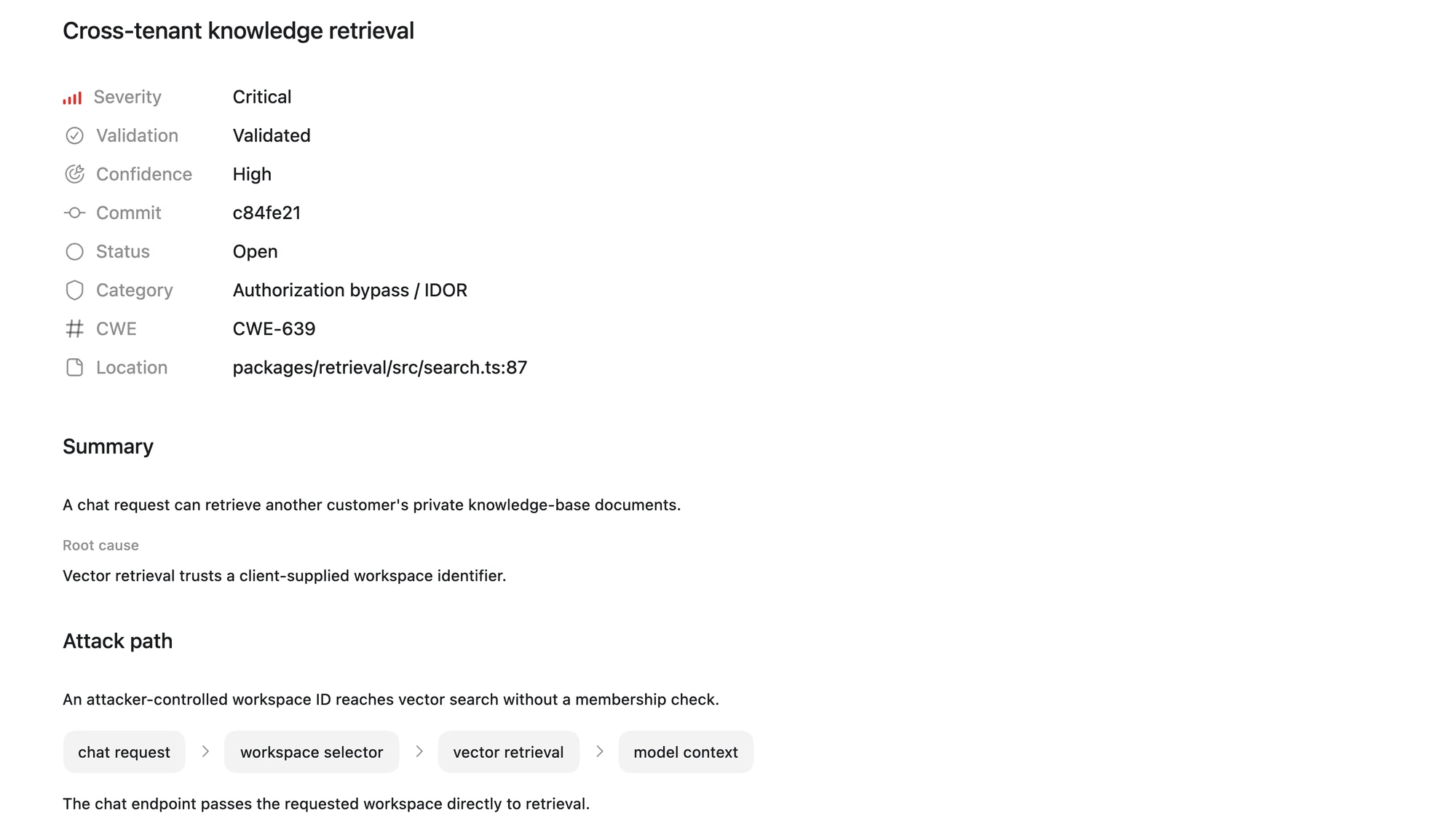
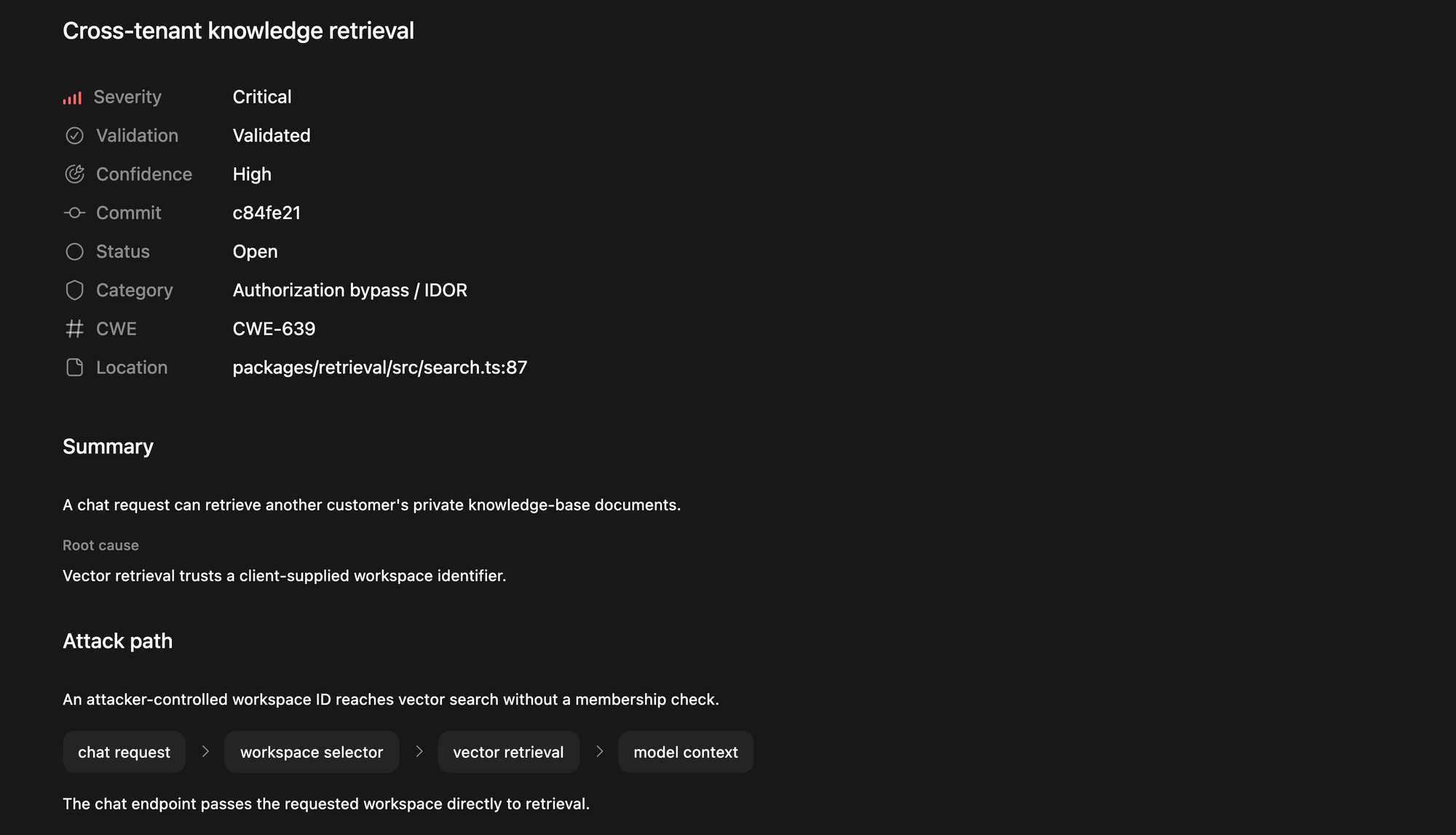
示例中的请求提供了工作区标识符,在没有成员资格检查的情况下触达私有文档读取操作。评估类似问题时,应检查其他控制是否执行成员验证,以及验证证据是否证明能够跨工作区访问。
需要帮助理解发现时,在同一仓库项目中打开聊天,提供发现标题、受影响代码和证据:
官方提示词
英文原文 · 可复制后按实际材料修改
Help me assess this security finding: [paste the finding, affected code, and validation evidence].

Explain the attack path, existing safeguards, and whether the evidence supports the reported impact and severity. Cite the relevant code and identify missing information. Do not modify code or close the finding.
选择下一步行动
为每项已审阅发现保留简要记录:扫描版本、受影响代码、证据、剩余不确定性和负责团队。根据证据选择下一步:
- 需要修复:选择一项已接受的发现,继续阅读“修复安全扫描中的一项发现”。
- 需要调查:保持打开状态,明确缺失的检查或信息后再决定是否修复。
- 不需要修复:记录支持证据与分诊决定。关闭发现只记录该决定,不会修改代码。
最终应得到一组已审阅发现和覆盖缺口,每项都有下一步行动。需要更全面评估时,使用深度安全扫描;需要评估特定拉取请求或差异时,使用代码变更安全扫描。
展开英文原文对照
Use the Codex Security plugin to scan a local repository, review the evidence and coverage, and prioritize findings for investigation or a fix.
Scan a local repository with the Codex Security plugin, review the evidence behind each finding, and decide what needs investigation or a fix. Start with one repository or service so you can review its coverage before expanding the scan.
Before you start
Open a local repository that you own or have permission to assess in Codex. Install and enable the Codex Security plugin, and confirm that your account and workspace have the required security access.
Start with a standard scan of the repository or one service. It runs the scan workflow once and gives you findings, supporting evidence, and coverage to review before deciding what to fix. For a large monorepo, choose one folder with a clear service or product boundary.
Use the starter prompt in that repository’s Codex project, replacing the path with your intended scope. To configure the same scan in the Security sidebar, follow Run your first scan. Choose one way to start the scan.
Run your first scan
- Open Security, select Scans, then select + Scan.
- Select your repository and confirm that Current branch and Last commit match the code you want to review. Codebase scans the checked-out code, including local changes.
- Select Codebase and set Scan area to Entire codebase or one folder. Leave Deep scan off for this first pass.
- Choose a model and reasoning effort using the current scan recommendations.
- Open Additional context if you want to explain a security rule or area to prioritize, then select Start scan.
For an application that keeps each customer’s data in a separate workspace, you could add this security context:
Users must only retrieve documents from workspaces they belong to.
Review whether a user can supply another workspace's identifier and
retrieve its private documents. Check where workspace membership is
enforced, including background jobs and direct API calls.Follow the scan and check coverage
Codex identifies the application’s assets and security boundaries, reviews code for candidate vulnerabilities, validates candidates, and assesses their impact before producing the report. Select View activity to inspect the underlying Codex task, and wait for the scan to finish.
Open the completed scan and confirm the target and revision. Review coverage, including skipped or deferred areas, before reading the findings. A completed scan can contain vulnerabilities; an empty findings list with incomplete coverage does not establish that the code is secure.
If the scan stops or leaves gaps, record those areas for follow-up. Scan time and resource use depend on the selected code and the validation work required.
Understand a finding
Select a finding and open Summary. Review these questions together:
- What can an attacker do? Read the affected code, root cause, and reported impact.
- How can they reach it? Follow the attack path from attacker-controlled input to the sensitive operation, including any existing safeguards.
- What did the scan demonstrate? Read the validation evidence, severity rationale, and remaining uncertainty. A severity label alone is not enough to accept a finding.
In this example, a request supplies a workspace identifier that reaches private-document retrieval without a membership check. To assess a similar finding in your code, inspect whether another control enforces membership and whether the validation demonstrates access across workspaces.
For help interpreting a finding, open a chat in the same repository project and include the finding’s title, affected code, and evidence:
官方提示词
英文原文 · 可复制后按实际材料修改
Help me assess this security finding: [paste the finding, affected code, and validation evidence].

Explain the attack path, existing safeguards, and whether the evidence supports the reported impact and severity. Cite the relevant code and identify missing information. Do not modify code or close the finding.
Choose the next action
Keep a short record of each reviewed finding: the scanned revision, affected code, evidence, remaining uncertainty, and responsible team. Choose the next action based on that evidence:
- Needs a fix: Select one accepted finding and continue to Fix a finding from your security scan.
- Needs investigation: Keep it open and identify the missing check or information before making a remediation decision.
- Does not need a fix: Record the supporting evidence and your triage decision. Closing a finding records that decision; it does not change code.
Your result is a reviewed set of findings and coverage gaps, with a next action for each. If you need a more thorough assessment, use Run a deep security scan. To assess a specific pull request or diff, use Scan code changes for security.